
Any desktop browser
Open your CrossFit programming workspace on the screen where WODs and training cycles are easiest to read, edit, and review.
ChalkClash brings CrossFit box programming to the desktop alongside the community features your athletes already use. Plan WODs, manage your training calendar, and compare previous weeks from any browser.
Support your community from planning to participation
Open your CrossFit programming workspace on the screen where WODs and training cycles are easiest to read, edit, and review.
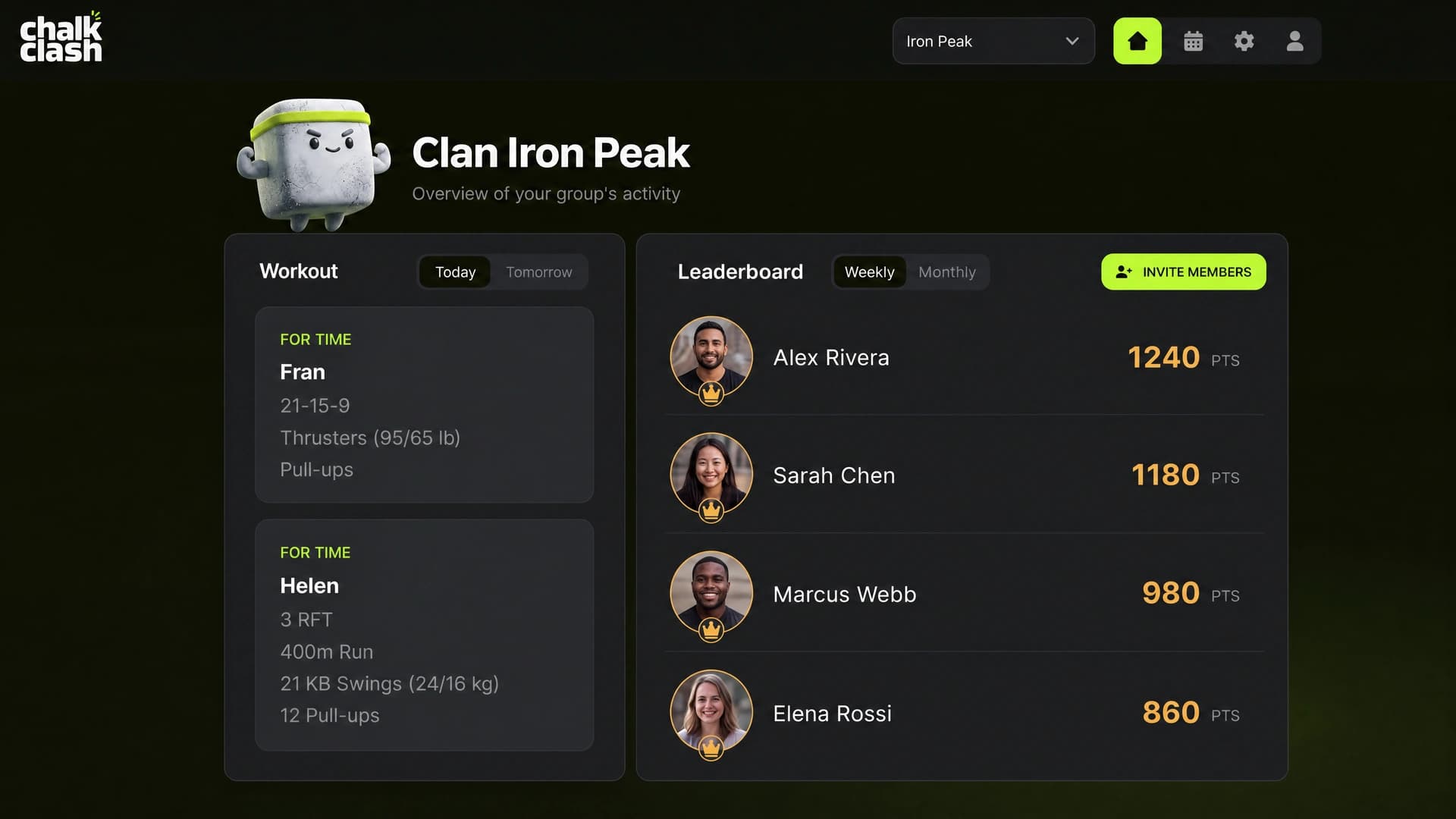
Keep key box and clan statistics close, so coaches can make programming decisions while staying connected to the whole community.
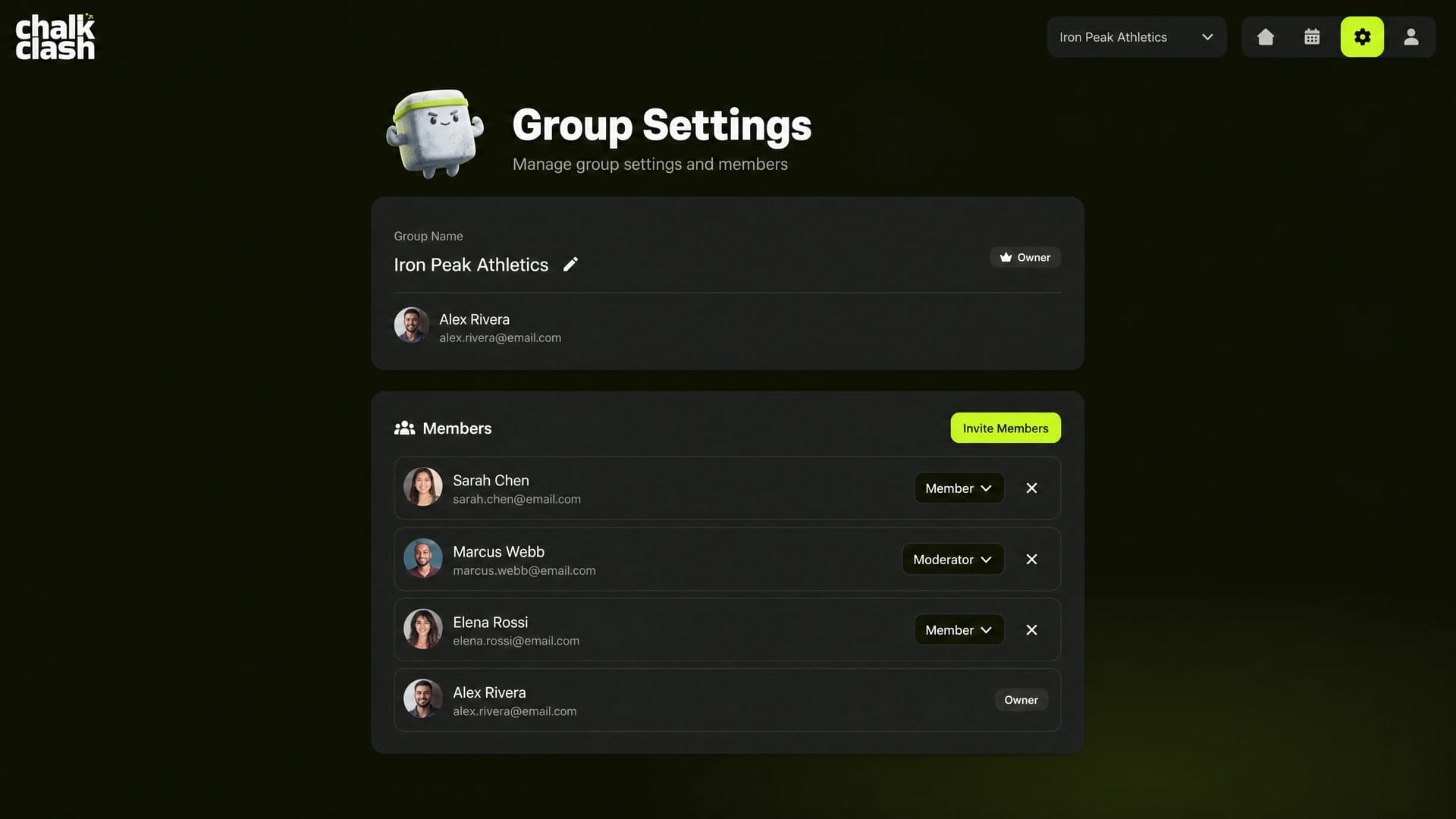
Invite athletes and manage coach or moderator access with the same familiar clan rules as the mobile app.
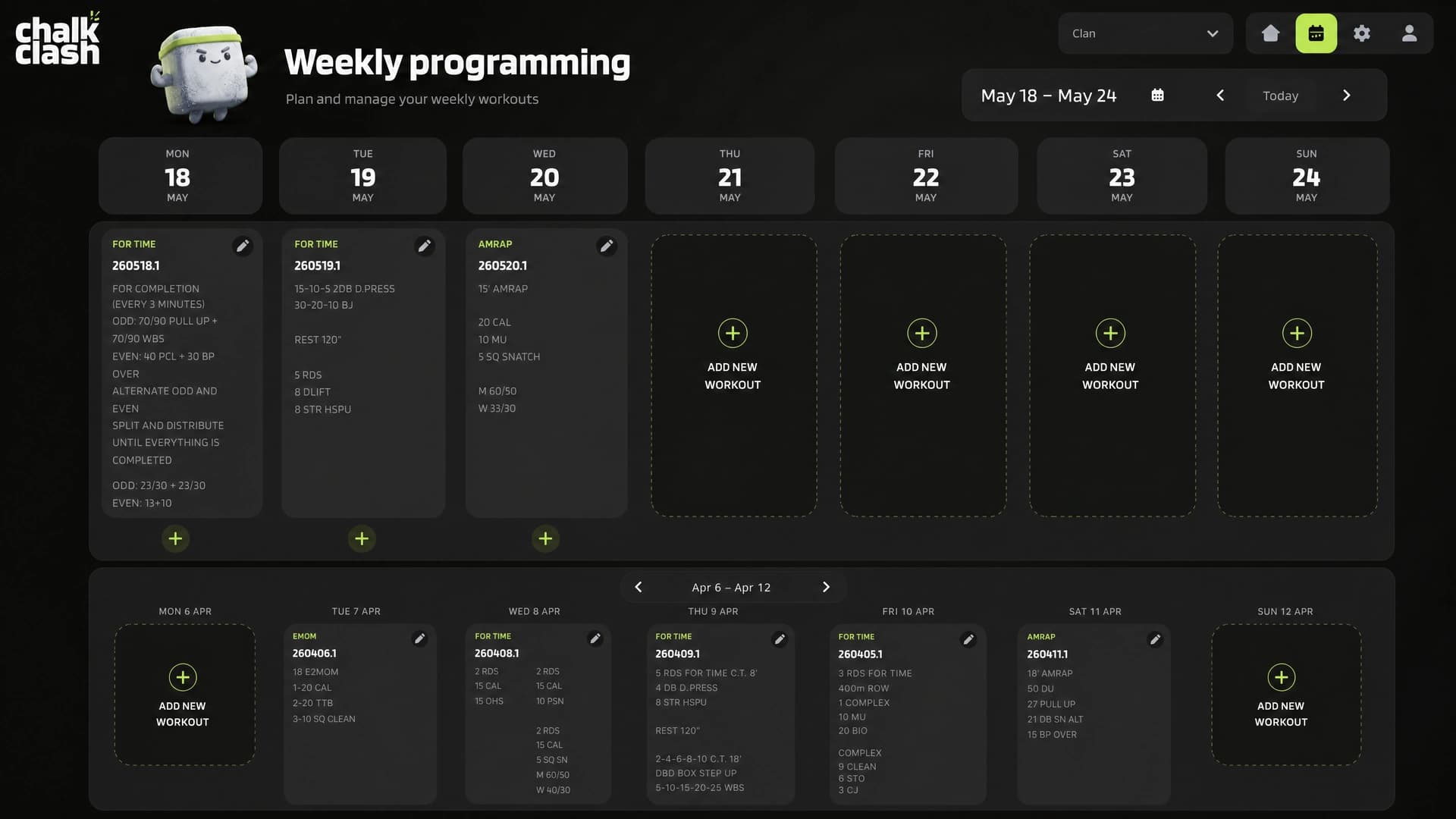
WOD and training cycle planning
The weekly programming schedule gives every WOD a clear place. Compare previous weeks next to the current one to manage stimulus, build progressions, and keep the training your community shares moving with intent.
CrossFit box programming FAQ
ChalkClash adds a desktop workspace for coaches and workout programmers to plan WODs, organize weekly training, and build longer cycles while the clan, shared scores, and member community stay connected.
Open the desktop web app at https://dashboard.chalkclash.app from any browser. Coaches and moderators can plan WODs, review the training week, and manage members there alongside the mobile app.
Yes. The desktop web app supports box programming with a weekly WOD schedule, training-cycle review, clan statistics, and member permissions that work alongside the mobile app.
Yes. The programming schedule puts previous weeks beside the current week, making it easier to review volume, stimulus, progressions, and the direction of the cycle your community is training through.
A clearer system for your box
Give coaches and moderators a clearer way to plan WODs, review training cycles, and keep your box community moving together.
dashboard.chalkclash.app